Swift on a chip — Part 1
First Embedded Swift project. Tilt an accelerometer, draw the result on an OLED, write the wrappers from scratch.
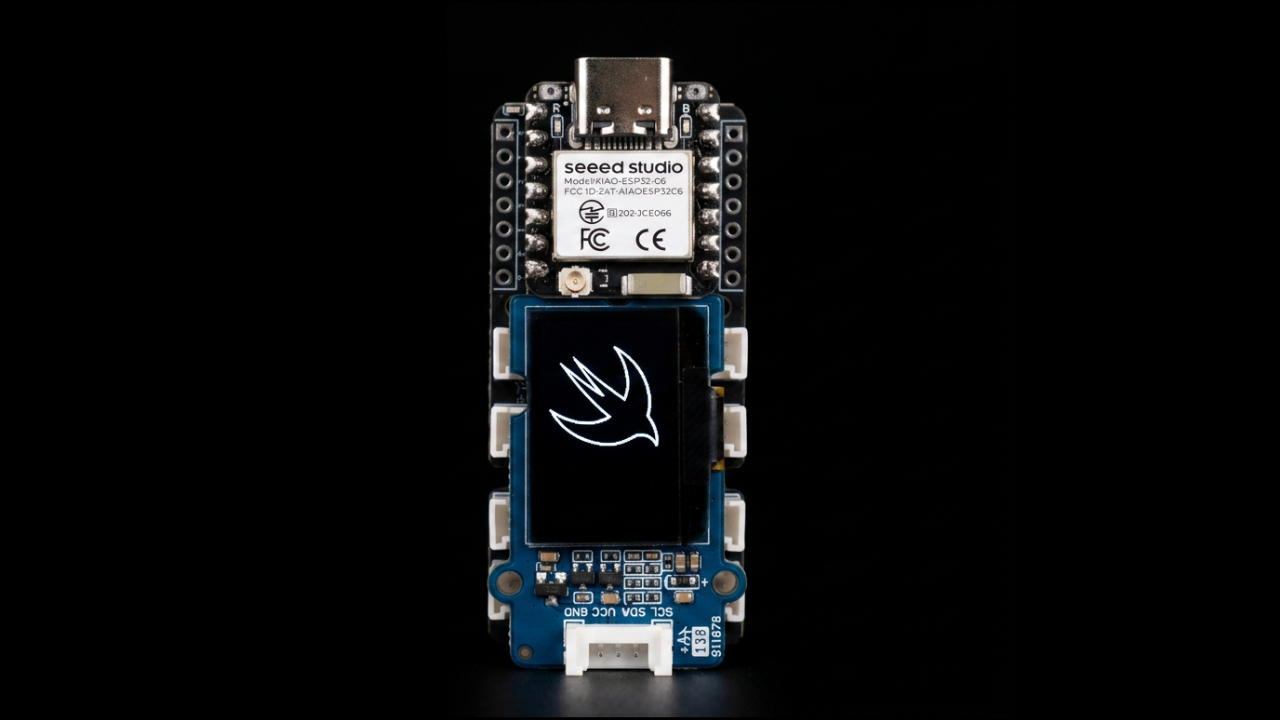
The first time I held the XIAO ESP32-C6 I genuinely laughed. It is the size of a coin. It has Wi-Fi, Bluetooth, four megabytes of flash, and a USB-C port. It costs about as much as a coffee. And it runs Swift.
That last part is what I wanted to test honestly. There is a difference between "Swift compiles to the chip" and "Swift on the chip actually feels like Swift." I wanted to find out which one I was getting.
The plan
I picked the simplest goal I could think of that still required real work: read the accelerometer over I²C, draw the result on the OLED display, and write the wrappers myself instead of pulling in a library.
The hardware here was intentionally boring. Grove cables snap together. No soldering, no breadboard, no wiring debug. That left me free to spend the night on what I actually wanted to think about: what Swift looks like when it talks directly to silicon.
let bus = I2CBus(sda: 22, scl: 23)
and watching real bytes move across a wire."
— me, somewhere around midnight The wrapper pattern
ESP-IDF gives you a C API for I²C. It is full of pointers, handles, byte arrays, and error codes you have to check by hand. It works. The sensor responds. But it does not look like Swift.
What I wanted was a struct. A struct that owns the C handle, initialises it in
init, tears it down in deinit, and exposes read and
write methods that hide the C ugliness. The way iOS engineers write things.
The wrapper came together in about an hour. The accelerometer wrapper on top of it took fifteen minutes. The OLED wrapper took longer because OLEDs are weird, but the I²C parts were straightforward. By the end I could write this:
let bus = I2CBus(port: 0, sda: 22, scl: 23)
let sensor = LSM6DS3(bus: bus, address: 0x6A)
let display = SSD1315(bus: bus, address: 0x3C)

while true {
    let (x, y, _) = sensor.read()
    display.drawTiltIndicator(x: x, y: y)
    sleep(milliseconds: 50)
}
Six lines. Reads like iOS. The wrapper did the work.
What surprised me
Three things tripped me up that I did not see coming. The short version: there is no heap, the runtime cannot print a Float, and the law of exclusivity behaves differently when you are working with tuples instead of arrays.
None of these are deal-breakers. All of them are real moments where iOS-Swift intuition stops working. I dig into them in Part 2.
Code
Full source on GitHub. MIT license. Build instructions in the README.
[Repository link will be added on publish.]
Shop
Build it yourself
Bundle · everything in one kit
Video 1 Bundle
Everything used in the first Embedded Swift video — the XIAO board, the Grove base, OLED and IMU — in one kit.
- XIAO ESP32-C6
- Grove Base for XIAO
- Grove OLED 0.96" (SSD1315)
- Grove 6-Axis IMU (LSM6DS3)
Some links are affiliate links — same price to you, a small share to Krass Code.